
Video content has become one of the most powerful ways to attract attention, explain ideas, promote products, and build an online audience. However, traditional video production can require expensive equipment, professional editing skills, actors, scripts, and many hours of work. Artificial intelligence is changing that process rapidly.
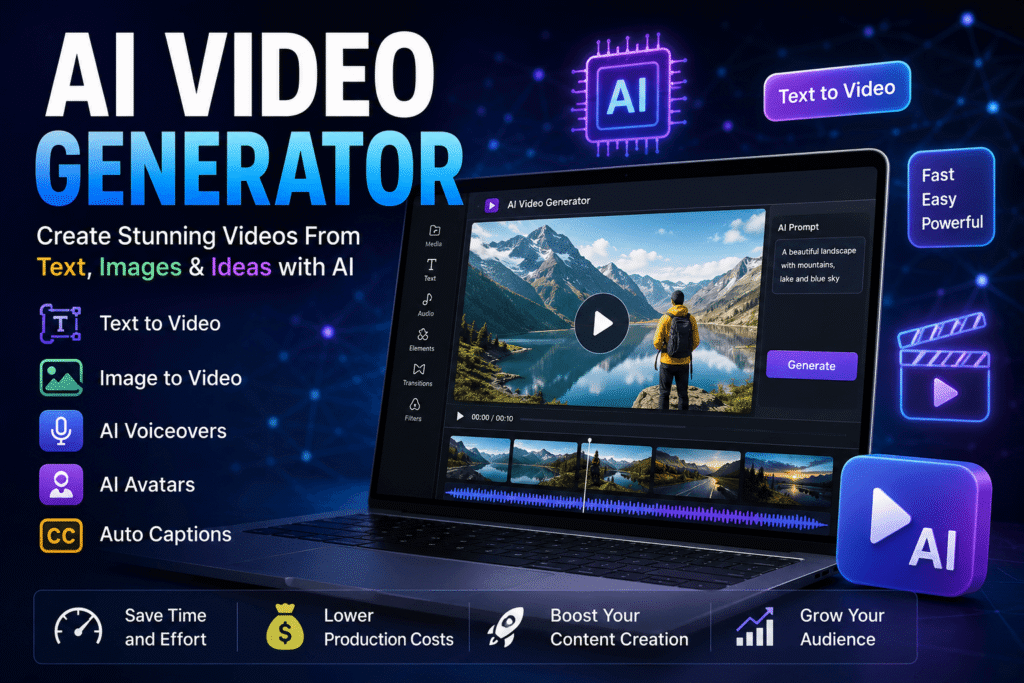
An AI Video Generator allows users to create videos with the help of artificial intelligence using simple text prompts, images, scripts, or existing content. Depending on the platform, users can generate realistic scenes, animated clips, digital presenters, voiceovers, subtitles, and complete social media videos without traditional video production.
From YouTube creators and marketers to teachers and small businesses, AI-powered video tools are making video creation faster and more accessible. This guide explains what these tools are, how they work, their major features, benefits, limitations, and how to choose the right solution.
What Is an AI Video Generator?
An AI Video Generator is software that uses artificial intelligence and machine-learning models to produce video content from user instructions. Instead of recording every scene manually, a user can provide a written description and allow the system to create visual content automatically.
For example, a prompt such as “a futuristic city at night with flying cars and glowing skyscrapers” can be transformed into a short cinematic video by some advanced platforms.
Other systems focus on different types of content. Some create realistic AI presenters, while others specialize in animation, product demonstrations, marketing videos, or transforming still images into moving scenes.
How AI Video Generation Works
Modern systems generally combine several AI technologies. Natural language processing helps the software understand written instructions, while generative models create visual frames based on those instructions.
Some platforms also use text-to-speech technology to produce narration. AI avatars can synchronize facial movements with generated speech, and automated editing systems can arrange scenes, music, captions, and transitions.
The quality of the final result depends on the model, prompt, source material, video length, and editing controls provided by the platform.
Key Features of an AI Video Generator
Different platforms provide different capabilities, but several features have become common across modern AI video tools.
Text-to-Video Generation
Text-to-video is one of the most impressive applications of generative AI. Users describe a scene, character, action, or environment, and the model attempts to produce a corresponding video.
This feature can be useful for creating cinematic concepts, advertisements, educational demonstrations, social media clips, and creative experiments.
Image-to-Video Creation
Image-to-video technology turns a still picture into an animated sequence. Users can upload an image and provide instructions describing how they want the scene to move.
For example, a product photograph could be transformed into a promotional clip with camera movement and visual effects.
AI Avatars and Digital Presenters
Some platforms offer virtual presenters who can read scripts naturally. These avatars are particularly useful for training videos, presentations, corporate communication, tutorials, and educational content.
Users can often select different appearances, voices, languages, and presentation styles.
AI Voiceovers
Voice generation can eliminate the need to record narration manually. Modern systems can create speech in different languages and tones, making them useful for international content creators.
However, users should always verify the platform’s licensing rules and ensure that voices are used ethically and legally.
Automatic Captions
Captions are important for social media and accessibility. Many video platforms can automatically recognize speech and generate subtitles, reducing the amount of manual editing required.
Benefits of Using an AI Video Generator
Artificial intelligence has introduced several important advantages to video production.
Faster Video Production
Traditional video production can take hours or even days. AI can automate many repetitive tasks, allowing creators to develop initial videos much faster.
This is especially useful for businesses that need to publish content regularly.
Lower Production Costs
Professional video production may require cameras, lighting, microphones, locations, editors, actors, and other resources. AI tools can reduce the need for some of these expenses.
They do not completely replace professional production in every situation, but they can make experimentation and smaller projects much more affordable.
Easy for Beginners
Many AI video platforms use simple interfaces. A beginner may not need advanced knowledge of video editing software to create a basic video.
Users can start with a script or idea and gradually learn more advanced controls as they become comfortable with the technology.
Multiple Content Formats
AI tools can support many types of content, including advertisements, educational videos, product presentations, social media clips, explainers, and entertainment.
This flexibility makes them valuable for individuals as well as organizations.
How to Use an AI Video Generator
Creating an AI-powered video usually follows a straightforward process.
Step 1: Choose Your Video Concept
Start with a clear objective. Decide whether you want to create an advertisement, tutorial, social media video, presentation, story, or another type of content.
A specific goal makes it easier to write an effective prompt or script.
Step 2: Prepare Your Script or Prompt
Write a detailed description of what you want the video to contain. Include information about the subject, environment, camera movement, mood, visual style, and important actions when appropriate.
For example, instead of writing “make a car video,” you could describe a luxury vehicle driving through a modern city during sunset with cinematic camera movement.
Step 3: Generate the Video
Enter your prompt or upload your source material. The system will process the request and generate a video based on the available model and settings.
The first result may not always be perfect, so experimentation is often necessary.
Step 4: Edit and Improve the Result
Review the generated footage carefully. Correct unwanted movements, inaccurate objects, strange facial expressions, spelling mistakes, or inconsistent scenes.
Add music, captions, branding, transitions, or narration when necessary.
Step 5: Export and Publish
Once the video meets your requirements, export it in the appropriate format and resolution. Select the format according to the platform where you intend to publish it.
Best Uses for AI Video Generation
The technology has applications across many industries.
AI Video Generator for YouTube
YouTube creators can use AI to develop intros, background scenes, explainers, educational videos, and supporting visuals.
It can also help creators produce multiple versions of content for testing different audiences.
AI Video Generator for Marketing
Businesses can create promotional content without producing every advertisement from scratch. AI can assist with product demonstrations, campaign concepts, social media advertisements, and explainer videos.
AI Video Generator for Education
Teachers and educational organizations can create visual lessons, demonstrations, language-learning material, and training content.
Visual explanations can make complicated concepts easier for students to understand.
AI Video Generator for Social Media
Short-form content is particularly suitable for AI-assisted production. Creators can develop videos for platforms such as TikTok, Instagram, YouTube Shorts, and other social networks.
The ability to create different formats and aspect ratios can also simplify publishing across multiple platforms.
Limitations of AI Video Generators
Despite rapid progress, AI video technology is not perfect.
Inconsistent Visual Details
Characters, objects, hands, text, and backgrounds can sometimes change unexpectedly between frames or scenes. Longer videos may be especially challenging because maintaining consistency requires more advanced generation and editing.
Limited Control
Traditional video editing gives creators precise control over every frame. AI generation can provide impressive results, but some systems still struggle with highly specific instructions.
Copyright and Ethical Concerns
Creators need to understand how generated content can be used commercially. Training data, recognizable people, copyrighted characters, voices, and branded materials can create legal or ethical questions.
Users should review the terms of the platform they choose and avoid using someone’s identity or voice without appropriate permission.
AI Does Not Replace Human Creativity
AI can generate content, but human judgment remains important. A strong concept, clear storytelling, thoughtful editing, and audience understanding can make a much greater difference than simply generating large amounts of footage.
How to Choose the Best AI Video Generator
When comparing different platforms, consider your actual requirements rather than choosing based only on popularity.
Check Video Quality
Look at examples produced by the platform. Pay attention to motion, realism, consistency, facial expressions, lighting, and scene quality.
Consider Pricing
Free plans can be useful for testing, but they may include limitations such as watermarks, credits, lower resolutions, or restricted features.
Compare the pricing structure with your expected usage before subscribing.
Look at Editing Features
Generation is only one part of video creation. Strong editing tools can make it easier to improve the final result without switching between several applications.
Review Commercial Usage Rights
If you create videos for clients or businesses, verify whether the platform permits commercial use of generated content under your chosen plan.
The Future of AI Video Generation
AI-powered video technology is developing quickly. Future systems are expected to provide better character consistency, longer video generation, improved physical realism, more accurate camera control, and stronger editing capabilities.
The technology may also become increasingly integrated into ordinary creative software. Instead of treating AI as a separate tool, creators may use it as part of their normal editing workflow.
This could allow a person to describe a complete scene, generate several variations, edit individual elements, and produce platform-specific versions from one project.
Final Thoughts on AI Video Generator Technology
An AI Video Generator can dramatically simplify video production by turning text, images, and ideas into visual content. It offers significant advantages for creators, marketers, educators, entrepreneurs, and businesses that need engaging videos without a traditional production setup.
However, successful video creation still requires human creativity and careful review. AI-generated footage can contain mistakes, inconsistencies, or limitations that need to be corrected during editing.
The best approach is to treat artificial intelligence as a creative assistant rather than a complete replacement for human storytelling. With a clear concept, strong prompts, appropriate editing, and responsible use, AI video technology can become a powerful part of modern content creation.
Frequently Asked Questions
What is an AI Video Generator?
It is software that uses artificial intelligence to create video content from text prompts, images, scripts, or other input.
Can beginners use AI video tools?
Yes. Many platforms are designed with simple interfaces that allow beginners to create videos without advanced editing experience.
Can AI create videos from text?
Yes. Text-to-video systems can generate visual scenes from written descriptions, although results vary depending on the model and prompt.
Are AI-generated videos free?
Some platforms offer free plans or limited credits, while advanced features and higher usage commonly require paid subscriptions.
Can AI video tools be used for business?
Yes. They can be used for marketing, training, presentations, advertisements, product demonstrations, and other business content, subject to the platform’s licensing terms.